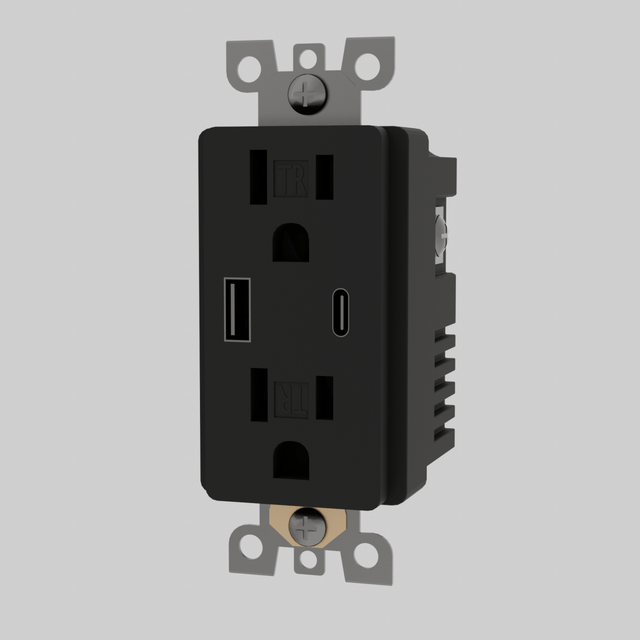


The USB-C Outlet (Custom Module 3)
Get 10% Off + Free Shipping - Claim Now
XMAS25
Durable Heritage Craftsmanship
Built to last generations

Precise Light Control
Adjust brightness with ease

Quick Setup
Install in minutes
The USB-C Outlet (Custom Module 3) - is backordered and will ship as soon as it is back in stock.
Protect your investment
See All Benefits
Choose your warranty
-
1-Year Manufacturer Warranty
Comes with a 1-Year Warranty. Extend to 2, 3 or 4 years for extra coverage, including most accidents.
-
1 Year Extended Warranty
$30
-
3 Year Extended Warranty
$50
-
5 Year Extended Warranty
$100


The estimated shipping time is a suggestion based on current material availability. Customized orders may take up to 15 additional days for custom fabrication and material sourcing.
Couldn't load pickup availability
Why you'll love it
Why you'll love it
- Timeless design complements any decor
- Smooth, quiet operation enhances user experience
- Resistant to wear for lasting elegance
Installation Guide
Installation Guide
Make it your own
Make it your own
Our in-house technicians can customize any order!
Popular Changes:
- Hanging length
- Material color or paint
- Emitting color
- Dimmable add-on
- Add or reduce size/dimension
- Redesign the entire lighting fixture to your suggestion
What We Do:
- Make minor adjustments above
- Create CAD drawings for your custom design
- 3D render the product into your photo
Speak with an expert on live chat or call us now from 9AM EST to 6PM EST.


The USB-C Outlet (Custom Module 3)
Get 10% Off + Free Shipping - Claim Now
XMAS25