ReelUp tracking pixel Read the Privacy Policy

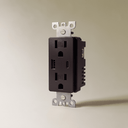
The USB-C Outlet (Custom Module 1)

Regular Price: $55
Regular price

Members save $11Join Now

3YEARS
Tags: addb2b baselayer not on discount tag_module_item
15
All Bestseller
18
All Non Discounted Products
15
Best Selling Products
Electrical Modules and Parts
Home Hardware
12
Indoor Lights
Newest Products
Parts and Modules
Products
15
Estimated arrival: , Order within .

The estimated shipping time is a suggestion based on current material availability. Customized orders may take up to 15 additional days for custom fabrication and material sourcing.

Request call back

Our design concierge will call you within 2 minutes.

    Thank you! We've received your request.
    Why you'll love it
    1. Timeless design complements any decor
    2. Smooth, quiet operation enhances user experience
    3. Resistant to wear for lasting elegance
    Installation Guide

    Product Includes

    Brass plate, your selected outlet type (Standard, USB-C, or GFCI), and mounting accessories.

    Installation Steps

    Step 1: Turn Off the Power
    Before starting, make sure to turn off the power to the outlet at your home’s circuit breaker or fuse box to ensure your safety.

    Step 2: Remove the Old Cover Plate
    Use your screwdriver to remove the screws holding the old cover plate in place. Gently take off the cover plate and set it aside.

    Step 3: Take Out the Old Outlet
    Unscrew the screws securing the old outlet to the electrical box and gently pull out the outlet.

    Step 4: Disconnect the Wires
    Carefully disconnect the wires from the old outlet.

    • If the wires are wrapped around the screws, loosen the screws to free the wires.
    • If inserted into holes on the back of the outlet, use a wire stripper to cut and strip the wires as needed.

    Step 5: Connect the Wires to the New Outlet
    Attach the wires to the new brass outlet.

    • If there are screws, wrap the wires around them and tighten.
    • If there are holes, insert the stripped wire ends into the terminals.
    • Follow the markings for Line, Neutral, and Ground, especially for GFCI and USB-C outlets.

    Step 6: Secure the New Outlet
    Carefully tuck the wires back into the electrical box and secure the new outlet to the box with the provided screws.

    Step 7: Attach the New Cover Plate
    Place the new brass cover plate over the outlet and secure it with the screws.

    Step 8: Turn the Power Back On
    Once everything is securely in place, turn the power back on at the circuit breaker or fuse box.

    Step 9: Test Your New Outlet
    Plug in a device to ensure the outlet is supplying power.

    • For USB-C models, test with a compatible charger.
    • For GFCI outlets, press the “Test” and “Reset” buttons to confirm proper functionality.
    • If anything seems off or you're unsure, reach out to a certified electrician. Safety comes first!

    Frequently Asked Questions

    Why would someone choose a USB-C outlet module instead of a normal outlet?

    Because some places in the home are basically charging stations whether you planned for that or not. A USB-C outlet makes those spots cleaner and easier to use by cutting down on adapters and loose charging bricks. It is a convenience choice, but a useful one.

    Where does a USB-C outlet usually make the biggest difference?

    Bedside areas, desks, kitchen counters, built-ins, and media spaces tend to benefit the most. Those are the places where cables multiply fast and chargers start taking over the wall. A built-in USB-C point just makes the setup feel more thought through.

    Is this mainly for phones, or can it help with other devices too?

    It is useful for phones first, but also for tablets, earbuds, smaller accessories, and some lighter-duty laptops depending on their charging needs. The exact experience depends on the device and power delivery details. It is helpful, just not universal for every high-draw device.

    Does this mean I can get rid of all my charging adapters?

    Not all of them, no. It reduces the need for them in the right places, but some devices will still want their original charger for speed or wattage reasons. Think of it as reducing clutter, not replacing every power brick you own.

    What does custom module mean on a USB-C outlet product?

    It means the charging insert is being chosen as part of a more custom wall-hardware setup rather than as a totally standalone off-the-shelf solution. The point is not just charging. It is charging without wrecking the look of the room.

    Is this more useful in modern homes than traditional ones?

    Not really. The charging behavior is modern, but the usefulness is universal. If anything, it can be especially helpful in older homes that are being updated to work better without covering every outlet in adapters.

    Should I put this everywhere or only in specific spots?

    Usually only in the places where you know charging happens constantly. Bedrooms, home offices, kitchen edges, and occasional guest areas are the obvious candidates. There is no point paying for built-in convenience where nobody will use it.

    Will this still need planning before installation?

    Yes, definitely. Like any custom-module product, it works best when compatibility, use case, and location are thought through ahead of time. It is a smarter product when it is used intentionally.

    Does this help a room feel less messy?

    Yes, and that is one of the strongest arguments for it. Charging clutter adds up faster than people think. A USB-C outlet helps the wall do more of the work cleanly.

    When is a USB-C outlet module actually worth adding?

    It is worth adding where device charging happens constantly enough to create cable clutter or adapter creep. Bedsides, desks, kitchen edges, and built-ins are the obvious examples. If the outlet location rarely gets used for charging, the extra convenience matters a lot less.

    ${{amount}}" data-locale="en" data-currency-code="USD" data-country-code="US" data-show-design-preview="false" data-bundles='[{"id":"","bundleId":"1765477272599_dzoqv8","bundleData":{"generalDetails":{"bundleName":"The USB-C Outlet (Custom Module 1) + The Toggle Switch (Custom Module 2)"},"bundleType":"classic_bundle","state":"published","products":[{"productId":"9896326922540","variantIds":["50809677218092","50809677250860"]},{"productId":"9896804057388","variantIds":["50811241857324","50811241890092","50811241922860","50811241955628","50811241988396","50811242021164","50811242053932"]}],"discount":{"discountName":"Bundle and save","discountApplication":"all_products","selectedDiscountType":"percentage","discountValue":"10","discountValueCurrency":"USD","discountApplicationSelectedVariantIds":[]},"design":{"i18n":{"en":{"showHeadline":true,"headlineText":"Bundle and save","showProductImage":true,"showBadge":true,"badgeText":"Save {{savedPercentage}}","showSavings":true,"savingsText":"YOU SAVE {{totalSavedAmount}}","addToCartButtonText":"Add to cart","totalText":"Total"}},"headlineTextColor":"#303030","headlineTextSizeValue":"20","headlineTextSizeUnit":"px","headlineFontWeight":"700","cardBorderWidthValue":"1","cardBorderWidthUnit":"px","cardBorderRadiusValue":"12","cardBorderRadiusUnit":"px","cardBorderColor":"#EBEBEB","cardFillColor":"#FFFFFF","badgeBorderWidthValue":"0","badgeBorderWidthUnit":"px","badgeBorderRadiusValue":"36","badgeBorderRadiusUnit":"px","badgeBorderColor":"#EBEBEB","badgeTextColor":"#FFFFFF","badgeTextSizeValue":"12","badgeTextSizeUnit":"px","badgeFontWeight":"700","badgeFillColor":"#707070","buttonBorderWidthValue":"0","buttonBorderWidthUnit":"px","buttonBorderRadiusValue":"8","buttonBorderRadiusUnit":"px","buttonBorderColor":"#000000","buttonTextColor":"#FFFFFF","buttonTextSizeValue":"14","buttonTextSizeUnit":"px","buttonFontWeight":"700","buttonFillColor":"#303030","savingsDescriptionTextColor":"#000000","savingsDescriptionTextSizeValue":"14","savingsDescriptionTextSizeUnit":"px","savingsDescriptionFontWeight":"700","totalLabelTextColor":"#000000","totalLabelTextSizeValue":"19","totalLabelTextSizeUnit":"px","totalLabelFontWeight":"700","originalAmountTextColor":"#707070","originalAmountTextSizeValue":"12","originalAmountTextSizeUnit":"px","originalAmountFontWeight":"450","totalAmountTextColor":"#000000","totalAmountTextSizeValue":"21","totalAmountTextSizeUnit":"px","totalAmountFontWeight":"700"},"displayOnPages":{"visibility":"all_products","productIds":[]},"schedule":{"startDateTime":"2025-12-11T00:00:00.000Z"}},"createdAt":"2025-12-11T18:21:12Z","updatedAt":"2025-12-11T18:21:12Z","handle":"1765477272599_dzoqv8","status":"","start_datetime":"2025-12-11T00:00:00Z","end_datetime":""}]' data-id-handle-map='"9896326922540":"the-usb-c-outlet-custom-module"' data-live-preview-bundle-id="" data-live-preview-mode="false" >